- cross-posted to:
- [email protected]
The recent federal raid on the home of Washington Post reporter Hannah Natanson isn’t merely an attack by the Trump administration on the free press. It’s also a warning to anyone with a smartphone.
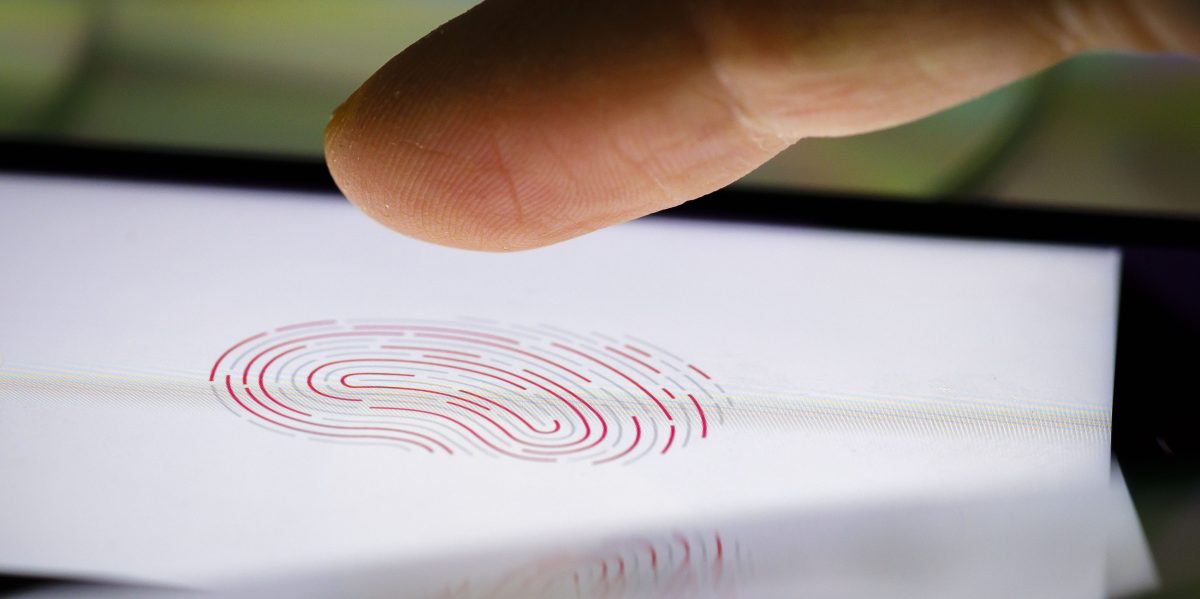
Included in the search and seizure warrant for the raid on Natanson’s home is a section titled “Biometric Unlock,” which explicitly authorized law enforcement personnel to obtain Natanson’s phone and both hold the device in front of her face and to forcibly use her fingers to unlock it. In other words, a judge gave the FBI permission to attempt to bypass biometrics: the convenient shortcuts that let you unlock your phone by scanning your fingerprint or face.
explicitly authorized law enforcement personnel to obtain Natanson’s phone and both hold the device in front of her face and to forcibly use her fingers to unlock it.
In other words, physical assault.
Legitimate law enforcement does every day what would be assault by anyone else. This isn’t wrong because it’s touching people, it’s wrong because the law enforcement agencies are illegitimate, so all uses of their power are illegitimate.
it’s wrong because the law enforcement agencies are illegitimate, so all uses of their power are illegitimate.
Ergo…
;)
Ergo saying “it’s aSsAuLt” is missing the point and hysterical, preaching to the choir. Who cares if it’s technically assault when done by Joe Public? That’s not why it’s bad.
We should focus on criticising what is bad, not technicalities that only matter because of other bad things we could be talking about.
Ergo saying “it’s aSsAuLt” is missing the point and hysterical, preaching to the choir.
You’re projecting a lot of tone and intent that doesn’t exist in my comment, nor in my view of the issue, and you’re doing it with a hefty dose of snark. That’s unnecessary, unhelpful, and unkind.
In future, you might consider multiple ways that other people’s comments could be interpreted, rather than leaping to assumptions that give you an excuse to criticise them and control the conversation.
Be well. Goodbye.
leaping to assumptions
if you want to avoid people “leaping to assumptions” - or “filling in the blanks” as I might call it, then you could avoid comments like
ergo… ;)
which is inviting exactly that.
I’m not making any assumptions about tone; my parody of tone was meant to emphasise the pedantic nature of the point, regardless of how you would have spoken it. No, that’s not kind, but this is important. It’s not kind to distract from the real issues.
A reminder if you restart your phone biometrics don’t work until you unlock it once with your code.
If you’re about to deal with police, turn off or restart your phone so it resets to a Before First Unlock state where your information is encrypted and biometrics do not work.
If your phone allows you to set an automatic restart, set that up.
GrapheneOS by default automatically reboots after 18 hours of not being successfully unlocked. Devices in the Before First Unlock state are effectively not able to be accessed by standard law enforcement solutions. It also lets you set a duress password that will immediately make the storage contents permanently inaccessible, delete the eSIM, and power off the device.
If you press the lock button on your iPhone several times in a row, it will force the entry of a pin next time it starts.
Test it out, and learn how to do it quickly if the popo comes for you.
On my pixel I can just hold the power button and click “Lockdown” on the menu and it will force the code
I don’t like this because it’s hard to do quickly without being obvious.
Do it very obviously as a fuck you instead
If it’s obvious and slow, which it is, someone might be able to physically intervene to stop you.
iPhone users: Hold power and either volume up or down button for two seconds It will lock and ask for your pin, regardless if you shut down the phone or not.
Learn how to do it quickly and blindly, with your phone in your pocket.
Also change the passcode type to alphanumeric even if you just use numbers. Makes it impossible for them to unlock it with that Mosad software. Though you probably need to make the passcode longer than 6 characters and add in a few letters. Like a 6 number passcode just take days to crack. While a 12 character alphanumeric code takes thousands of years.
I haven’t done as much research on iPhones… does that put it back into a BFU state, or just not accept biometrics?
There is a difference if it doesn’t force it back into BFU state, not for say a patrol officer/agent on the field, but definitely if they’re trying to get into your phone later.
It just disables biometrics, so not a complete lockdown, but better than nothing.
If you want to do a better lockdown, you do the following, it takes longer however:
This will force a restart of the device and require the pin to be entered.
You can just hold the lock button and volume up until it prompts you to power off.
Or swipe down the control center and there a power icon in the top right
Edit. Apparently that control center thing doesn’t work on my phone but it used to
Is this not just AFU? If so, the effect for a physical user is the same (needs the passkey), but encryption keys are still loaded.
You don’t even need to do it multiple times. If you go into the power menu while it’s locked it requires it so just power + vol up
deleted by creator
Got any examples? Apple has won in court and the feds got all butthurt because they couldn’t unlock phones that they wanted to access.
And then… Few weeks later unknown company from Israel did give an access to this Apple phone. Think just how was it possible 🤣 One suggestion, Apple makes always great PR.
Source?
deleted by creator
Find your device’s “lockdown” feature (disables fingerprint/face entry) and enable that in any potentially sketchy situation.
I don’t know how to trigger it on iOS, but my Pixel has the “lockdown” mode option on the same window as “shutdown” and “reboot”, which can be accessed at any time by briefly holding the power button.
On iOS, you can press the power button five times in a row or hold the power button and volume up button together. Either one of those disables biometric login.
Of course, you need to know that you need to do that and have the chance to do so.
You only need a second or two of warning to disable the biometrics - it’s not as good as BFU state, but it’s better than nothing for sure.
This assumes you have the time to activate it. If someone comes up and snatches your phone before you have time to activate it, it’s useless. Just don’t use biometrics at all.
Yes, it requires some proactive forethought.
Wouldn’t it be better to just turn the phone off? Seems like it’s about the same amount of effort, and it won’t have anything unencrypted in RAM any more.
It’s already in the same screen, both on Android and iOS, so of course it is much better, and not less convenient, to shutdown instead.
I can’t think of any reason not to, besides “I might want to unlock it real quick”, which is exactly what you’re preventing on this scenario.
Is this the same Washington Post that was informed of the planned illegal invasion and kidnapping of a foreign state leader 24 hours before it happened and chose to sit on that information in order to protect the president?
How odd to then claim just weeks later that they’re “free press” and that the man they helped attack others is now attacking them.
Biometrics are a username, not a password.
Who are you?
The person who this finger belonged to.
Cool. Come on in.
Something you have, something you know, something you are.
Except passkeys are replacing passwords, and a lot of people use their fingerprint as the passkey. It’s nowhere near as common to use a physical key like a Yubikey.
On LineageOS, hold the power button and click “Lockdown”
Android has this too, if you enable it in the settings.
LineageOS IS android
Android ISN’T LineageOS :P

Ya that’s great but also if you power off you phone, you can’t use biometrics once it boots up for the first unlock. If you have time to shut it off first, that is.
Andoid implemented a lockout mode that when you activate, disables biometrics, usb access and hides notification.
Its been available since the OneUI update.
You activate by holding power and selecting lockput (where reset would be)
OneUi isn’t ‘android’, it’s ‘samsung’
It’s Lockdown on a stock Pixel.
I’ve got a pixel and it will not allow biometrics on a hard power off or restart, only for login from a previous session. if I was a journalist I’d be resetting my phone constantly if I had sources to protect.
It also hard locks if its been 24 hours since a password was typed. You can also intentionally cut your finger or fuckup your face guarantee biometric lockout. If you think you’re about to be arrested and you have fingerprint unlock you can just slice or burn your finger.
You can also just disable it, which is much more secure. You can have it not open your locked phone but still be used to verify it’s you in apps which is also nice.
Thanks I don’t know if this is built into general android OS or just the oneUI. But wanted to get it out there
iPhone/iPad/iWatch does this when you hold the power button to bring up the “turn off” slider. I’m pretty sure stock Android is similar. It’s great because it can be done in your pocket without even looking. I wish more people knew this, and did it every time they go through a security checkpoint or see a fascist in their periphery.
For me at least it’s tap power button 5 times rapidly, rather than holding it, on iPhone.
Or hold power + volume down
Edit: Do keep in mind that this doesn’t reset your phone to Before First Unlock status, so it’s still vulnerable to tools like cellebrite. This only disables Face ID until you enter the passcode again. For better protection, you’d want to fully shut down your phone, which MIGHT protect it from unlocking altogether, or it might not. If they can’t have it unlocked right away, they can get it in a few months or years since you won’t be getting security updates and they do discover new vulnerabilities every now and then.
On my android the 5-tap activates SoS mode. Holding power for a moment gives the power off and lockdown option, as does pressing power+volup simultaneously. Power+voldown appears to be screenshot.
Most of these options will still keep the phone “active” though so I’m not sure about USB based hacks. If encryption is enabled I believe that forcing a reboot/shutdown means the data on the phone isn’t accessible until after unlocking via PIN/password on boot.
Oh yeah, so basically this will only protect from the police forcing you to look at your phone or touch the fingerprint sensor. It doesn’t actually reset to BFU so you do indeed have to shut it down fully to be more protected. I probably should’ve mentioned that in my previous comment
I can’t find it? Do I need to enable it somewhere ?
Yes . Need to enable in settings. Look for “lockdown mode” in security section
Enabled it, it’s in lock screen security settings. But I don’t see amy difference with regular power button single press
Im told it may be a Samsung OpenUI thing. Not on base android os
I have a Samsung
Thanks, I actually didn’t know about that. I had to enable it in settings for it to show up.
This would be much better if it could be triggered by touching the fingerprint sensor with a specific finger. I’m disappointed that isn’t a feature yet.
Its a built in feature for android. Bw glad that have it at all.
Are you saying I should never talk about how things could work better? Fuck that.
No. Talking about solutions today not a wish list for some future Fed raid
deleted by creator
Handing out my fingerprint to a tech company has seemed like a really bad idea ever since that tech was introduced to smartphones. Never used it myself. I’ve just stuck to the pattern lock instead. And don’t even get me started on FaceID.
Tiktok’s new TOS explicitly states that by using the platform, you grant them a permanent liscense to use your face, your voice, etc, for anything they want.
Training LLM models, selling your biometric data to anybody, anything.
People were right that its a form of invasive spyware, all corpo social media apps are, including dating apps obviously.
But uh, its ‘ours’ now, its our ‘panopticon in your pocket’ killer app, so… now its good or something.
Thank you, I’m so glad I left tiktok a while ago
Side note, creating a bitmoji on Snapchat grants them rights to your likeness and image
Your first sentence:
Oh, wonderful!
Your second sentence:
Oh, wonderful.
Yeah uh, use signal, everything else is fucked.
It’s pretty much that simple, as far as messaging apps go.
Graphene can do two factor unlock which is nice.
Any serious justice system would not accept illegally obtained evidence like this
Eh, I get what you mean, but let me explain how it works in Sweden.
Our courts practice something called “fri bevisprövning”, this means that no evidence can be declared unusable, and can be used in court, obviously the evidence has to be documented and validated as being real, but the manner of how it was collected does not matter.
Now, if it was collected in an illegal way, that illegal act is a different case altogether.
To be frank it makes a lot of sense, it stops procedural issues from denying the use of evidence, while punishing the illegal act used to collect it.
Now, I know the US has good reasons for the laws they use regarding evidence, I just disagree that it is the only way to do it.
Wait, people were ever using biometric unlock?
Oh… oh… did the obviously inevitable thing that would happen under that paradigm… happen under that paradigm?
Wow, how surprising.
Hell some phones have a spot on the back that’s explicitly for scanning their fingerprint.
You mean a fingerprint scanner? Like the ones that have been on all phones for years? Or, explicitly on the back, like the LG G3 did in 2014? The way you phrased that it seems like it was new information to you.
Like the LG G3. I think there were a few others. The ones I specifically avoided because nope.