Technically, the Steam Machine supports HDMI 2.1. However, Valve and AMD are not allowed to offer an open-source driver for it.
I do not really have a body for this. I was not aware that this is a thing and still feel like this is bs, but maybe there is an actual explanation for HDMI Forum’s decision that I am missing.
I think I’d like DisplayPort over a USB-C connector. It seems like this might be an easier sell too, since the general non-techy populace is already used to everything going to USB-C (thanks EU). Maybe one day we can actually just use the same cable for everything. I realize that not all USB-C cables are equal, but maybe if TVs used USB-C, we’d see more cables supporting power, data, and video.
Mildly spicy take: USB is an unrecoverable disaster and we need an entirely unrelated team to invent something entirely new to replace it because we’re never getting this sleeping bag back in the little bag it shipped in.
USB 1.1 was cool in 1996; it replaced PS/2, RS-232, Centronics parallel, several proprietary connectors, several use cases for SCSI, ADB, Apple’s DIN serial ports, and probably some stuff I’m missing. There was an A plug and a B plug, main problem was both weren’t very obvious which way up you were supposed to plug them. Speed was low but firewire existed for high speed connections.
USB 2.0 was cooler in 2000. The plugs and sockets were identical, the cable was similar but with better shielding, it was as fast or faster than FireWire 400. They did start introducing more plugs, like Mini-B and Micro-B, mainly for portable devices. There were also Mini-A and Micro-A, I’ve never personally seen them. That pretty much finished off external SCSI. Higher speed FireWire was still there if you needed faster than USB but USB 2.0 did basically everything. To indicate USB 2.0 devices and ports, they made the tongues black in contrast with USB 1.1’s white tongues. Didn’t really matter in practice; by the time people had devices that needed the speed, USB 2.0 ports were all machines had.
USB 3.0 took too long to arrive in 2008. The additional speed was sorely needed by then, FireWire was mostly an Apple thing, PCs had but often didn’t use it, so PCs mostly didn’t have anything faster than 480Mbit/s until Obama was sworn in. USB 3.0 is best thought of as a separate tech bolted on top of USB 2.0, they added 5 more wires, a ground wire and two pair of high speed data lines for 5Gbit/s full duplex. The original four wires are also in the cable for power and 480Mbit/s half-duplex. They managed to make the A plug and socket entirely forwards and backwards compatible, the 3B sockets are compatible with 2B plugs (same with micro) but 3B plugs are not compatible with 2B sockets (again, same with micro). Which means we’ve just added two more kinds of cable for people to keep track of! So a typical consumer now likely has a printer with a USB A-B cable, some bluetooth headset or mp3 player they’re still using that has a mini-B plug, an Android smart phone with a micro-B plug, an iPod Touch with a Lightning plug because Apple are special widdle boys and girls with special widdle needs, and now an external hard drive with a 3A to micro-3B plug, which just looking at it is obviously a hack job.
Computer manufacturers didn’t help. It’s still common for PCs to have 2.0 ports on them for low speed peripherals like mice, keyboards, printers, other sundry HIDs, to leave 3.0 ports open for high speed devices. To differentiate these to users, 3.0 ports are supposed to be blue. In my experience, about half of them are black. I own a Dell laptop made in 2014 with 1 2.0 and 2 3.0 ports, all are black. I own two Fractal Design cases, all of their front USB ports are black. Only ports on my Asrock motherboards are blue. I’ve had that laptop for nearly 12 years now, I STILL have to examine the pinout to tell which one is the USB 2.0 port. My Fractal cases aren’t that bad because they have no front 2.0, but I built a PC for my uncle that does have front 2.0 and 3.0 ports, and they’re all black.
USB 3.1 showed up in 2013, alongside the USB-C connector, and the train came entirely off the rails. USB 3.1 offers even higher 10Gbit/s duplex throughput, maybe on the same cable as 3.0. If the port supports it. How do you tell a 3.1 port from a 3.0 port? They’ll silk screen on a logo in -8 point font that’ll scratch off in a month, it is otherwise physically identical. Some motherboard manufacturers break with the standard in a good way and color 3.1 capable ports a slightly teal-ish blue. USB A-B cables can carry a USB 3.1 10Gbit/s signal. But, they also introduced the USB-C connector, which is its own thing.
USB-C was supposed to be the answer to our prayers. It’s almost as small as a Micro-2B connector, it’s reversible like a Lightning port, it can carry a LOT of power for fast charging and even charging laptops, and it’s got not one, but two sets of tx/rx pins, so it can carry high speed USB data in full duplex AND a 4k60hz DisplayPort signal AND good old fashioned 480Mbit/s USB2.0 half-duplex for peripherals. In one wire. That was the dream, anyway.
Android smart phones moved over to USB-C, a lot of laptops went mostly or entirely USB-C, PCs added one or two…and that’s where we are to this day. Keyboards, mice, wireless dongles, HIDs, still all use USB-A plugs, there doesn’t seem to have been any move at all to migrate. Laptops are now permanently in dongle hell as bespoke ports like HDMI are disappearing, yet monitors and especially televisions are slow to adopt DP over USB-C.
Also, about half of the USB-C cables on the market are 4-wire USB 2.0 cables. There are no USB-C data cables, just D+ and D- plus power. They’re phone charging cables; they’re sufficient for plugging a phone into a wall wart or car charger but they often don’t carry laptop amounts of power and they don’t carry high speed data or video.
USB 3.2 turned up in 2017, added the ability to do two simultaneous 3.1 10Gbit/s connections in the same cable, a boon for external SSDs, retroactively renamed 3.0 and 3.1 to 3.2 Gen 1 and 3.2 Gen 2, with 3.2 being 3.2 Gen 2x2, changed to different case logos to match, pissed in the fireplace and started jabbering about Thunderbolt. Thunderbolt was an Intel thing to put PCIe lanes out mini DisplayPort cables, usually for the purposes of connecting external GPUs to laptops but also for general purpose high speed data transfer. Well, around this time they decided to transition to USB-C connectors for Thunderbolt.
Problem: They use a lighting bolt logo to denote a Thunderbolt port. Lightning bolt, or angled squiggle lines, have been used to mean “high speed”, “Power delivery”, “Apple Lightning”, and now “Thunderbolt.”
“Power delivery” sometimes but not always denoted by a yellow or orange tongue means that port delivers power even with the device turned off…or something. And has nothing to do with the fact that USB-C cables now have chips in them to negotiate with power bricks and devices for how much power can be delivered, and nobody marks the cables as such, so you just have to know what your cables can do. They’re nearly impossible to shop for, and if you want to set up a personal system of “my low-speed cables are black, my high speed cables are white, my high power cables are red” fuck you, your Samsung will come with a white 2.0 cable and nobody makes a high power red cable.
USB4 is coming out now, it’s eaten Thunderbolt to gain its power, it’ll be able to do even higher speed links if you get yet another physically indistinguishable cable, and if you hold it upside down it’ll pressure wash your car, but only Gigabyte Aorus motherboards support that feature as of yet.
The “fistful of different cables to keep track of” is only getting worse as we head into the USB4 era and it needs to be kicked in the head and replaced entirely.
The renaming while still selling it with older packaging for years has been angering me since it happend.
Honestly it would not be so much of a problem if things where actually labeled appropriately with all the actual specs and support features on the package but its more profitable to keep you guessing (and going for the higher priced one just in case)
They do the same thing with Bluetooth audio transmission usb, their “high quality audio” and “ps5 compatible” but does not tell me wether it supports aptx or not?
Also the whole “buy a product clearly pictured with usb A type connector, receive a usb C type connector variant, if lucky, with an added adapter.
Yeah, “3.0” and “3.2 Gen 1” mean the same thing. Same with “3.1” and “3.2 Gen 2x1”. I’ve bought computer cases in 2025 with the front IO labeled “3.0”.
How are normal people supposed to keep track of this?
I have done research into what product i should buy three times and i am still not sure enough to answer this. That says enough about how confusing the modern tech market is.
They are definitly proprietary and a competitor to LDAC from sony. Finding something that supports both sennheiser and sony headsets without being overpriced is a nightmare.
I don’t think we would be throwing USB-C away completelly, because it even became mandated by law in EU with the goal of trying to slow down the rate at which people generate trash by getting new cables and power bricks for every new generation of connectors.
But I agree that at the very least there should be a clear labeling mandated by consumer protection laws as well… it’s a nightmare and a scenario that opens the door for a lot of scams… this is even made worse by the fact that nowadays you can even have malicious software running inside of the connector of a cable plugged into an extremely capable port without realizing it, messing up with your device even though the only thing you wanted was to charge it.
The “fistful of different cables to keep track of” is only getting worse as we head into the USB4 era and it needs to be kicked in the head and replaced entirely.
But started with
need an entirely unrelated team to invent something entirely new to replace it
I remember the original roll-out of USB, things like mice and keyboards very quickly transitioned to USB and came with one of those USB/PS2 dongles for awhile for compatibility with older computers, and then we were into the USB era.
That hasn’t happened with USB-C, large market segments don’t seem interested in making it happen, it’s not getting better, in fact it seems to be getting worse. So kick it in the head and start over from scratch.
I have a couple. My phone came with an A female to C male adapter (will turn an A cable into a C cable) that’s about as compact as you can make it, but it is only wired for 2.0. I also have a 4 inch dongle cable that does the exact same thing that is I think 3.0. I just bought some C-A adapters (turns a C cable into an A cable) which look like an A plug with the cable cut off. These aren’t compliant with the USB-C spec and can be misused for bad ideas, like an A-A cable, but it does allow you to carry one USB C-C cable and one adapter and cover a lot of bases.
Yes, I absolutely want different cables with different connectors.
Being able to physically plug two USB-C devices together is not a benefit if the devices can’t actually talk to each other properly on the cable. I’d much rather have three different connectors, each of them guaranteeing protocol compatibility, than USB-C for which any given device-cable-device combination, the behavior is nearly impossible to predict.
You know what the problem with USB-C is? In 2010 or so, you could have a fistful of unique USB cables, A-B, A-MiniB, A-MicroB, 3A-3B, 3A-Micro3B, A-Lightning, they’re all different, but you can look at the cable and tell exactly what it does. Most of them are identical in capabilities but have physically different plugs, and the two USB 3 cables are also identical in capabilities but with different client side plugs. ALL of them will plug in and work in the same host-side port.
With USB-C, I can have a fistful of visually similar cables, with drastically different capabilities, and I have no way of telling them apart. The USB consortium has been inconsistent with their branding, it has been applied even more inconsistently or even fraudulently by manufacturers, and there’s no way to inspect the cable’s features without trying it to see if it works.
The problem is that getting a new standard is gonna just mean more of the same shit with like a good ten years of swapping because USB is so widely used. USB ain’t perfect, I dislike a lot of things about it, but starting from scratch isn’t gonna improve things.
If it was the sort of magical scenario where everyone swapped overnight, hell yeah.
There is a very good PCs still have USB2 ports. They are reliable. The always work. Before an OS loads, getting usb3 ports working is iffy. Manufacturers rarely fix their implementation in firmware so you’d want to boot that Linux distro on that Dell or HP laptop and start with usb2.
Usb3 also causes interference with wireless transmitters
Usb3 also causes interference with wireless transmitters
Oh god I hate this so much. The proliferation of USB 3.0 devices in the office has made 2.4 GHz keyboard and mice nearly unusable. I’d much rather they change the frequency to fix this than whatever thunderbolt stuff they’re dealing with right now
That interference doesn’t span an entire office. Simply place the transmitter in a USB2 port or get a short usb2 extension cord and put the transmitter in that, giving it some distance from the usb3 port.
This does get me thinking there is an attack you can pull on machines with USB3 ports where the signals emitted by the ports could be picked up further away and be used to break an airgap.
This is even worse than I already knew, holy shit.
4-wire USB 2.0 in a USB-C cable should be fucking illegal. Utterly counterintuitive if one stops short of reading specs and merely “keeps up” by having to use this nonsense all day every day. Learning about that alone put to bed some head-scratching confusion I’ve run into with my own stuff over the years.
Guess which one of those is a 4-conductor USB 2 cable rated for 15 watts that came in the box with my smart phone, and which is a 3.1 cable that can carry 10Gbps USB data AND a 4k60Hz DP signal AND a USB 2.0 link for peripherals AND 100 watts of power simultaneously. Guess at their relative prices.
And this isn’t even the ultimate cable. The cable I described is 12 year old technology, they dropped the 3.1 spec in 2013! Newer cables can do 20Gbps using both lanes, carry more power, do external PCIe, all kinds of crap.
But normies who charge thay phone, eat hot chip and lie don’t want this cable. They don’t want to pay $15 for 7mm thick cable that’ll pull their Qi charger off their night stand with its weight every time they pick their phone up. They want a thin, flexible strand of spaghetti that will carry 15 watts from the wall wart behind their headboard to the charger on the night stand, successfully negotiating at least two sharp 90 degree turns.
USB-C was supposed to be the universal port. The answer to every question. Recharge your wireless earbuds, recharge your laptop, attach HIDs, very fast storage, high speed network adapters, displays, low latency teledildonics, VR headsets…it was the chosen one, it was supposed to destroy the Sith, not join them. Turns out, the port might be capable of that, but the cable is a different story. There’s 24 pins in the plug, two of which will never be connected (the four middle pins are for USB 2, and there are only 2 wires for that. The cable itself along with the chips in the connectors need to be designed for what you’re doing. And we can’t really steer around that because they’re going to keep adding tech to this connector for awhile yet.
So we’re gonna end up with cables that can do this, but not that. Some applications only require USB 2.0, but the device has a USB-C port. I’m okay with that cable existing, but the industry as a whole has done a piss poor job of selling and marking cables with their capabilities.
I bought the cable above from Cable Matters. They make good cables. They marked each end of this cable with the SS USB 10 mark on one side, and their logo on the other. It doesn’t indicate it’s video or power capacity in any way. You’re supposed to make note of that when you buy the cable, keep track of which cable that is in your collection, and remember what it can do. I’m a neckbeard with no life, and even I’m not gonna get that done.
FireWire was mostly an Apple thing, PCs had but often didn’t use it, so PCs mostly didn’t have anything faster than 480Mbit/s until Obama was sworn in.
It also took even longer than that to get 480mbits.
Firewire could to ~45MB/s back in G3 iMac days, USB2 was stuck on ~25MB/s with BOT for years until after USB3 and we finally got UASP.
Display port over USB-C is totally a thing. With things like USB-PD USB seem to be getting dangerously close to becoming the standard for everything. The cables are a wreck though and are way too hard for a layperson to tell apart.
It’s pretty simple and straightforward, all you have to so is buy the cable and a professional cable tester to see what specs it’s actually in compliance with
Don’t worry, I’m sure when USB 4 releases, they’ll retroactively change the names of USB 3.2 Gen 1 and USB 3.2 Gen 2 to “USB 4.3 Gen 0.01” and “USB 4.3 Gen 0.02” respectively. Then USB 4 will actually be named “USB 4.4 Gen 5” just because.
And none of the cables will be labeled, nor will they simultaneously support high power delivery and full data speed. We’ll need to wait for “USB 4.4 Gen 4” for that, which is when the old standard will get renamed to “USB 4.4 Gen 3.5” instead.
These days a ~10€ gadget can tell you about the electricity going through a USB connection and what the cable is capable of. I don’t like the idea of basically requiring this to get that knowledge, but considering the limited space on the USB-C plugs I’m not sure anything is likely to improve about their labeling.
I have something like this myself, it’s useful for knowing the power delivery of the cable/port combination, but I’m not sure if that really helps when it comes to determining the speed of the data transmission that the cable/port is capable of, or other features like displayport support, or which version of USB4 it might be supporting (I believe they have the same power delivery, even though the transfer speed is double).
I mentioned this in another thread but “DP Alt” (DP over USB-C) is not a default feature of the USB spec and is an optional extension that needs to be added via additional hardware and supported by the device. At that point you’re basically adding in DP with just a different port.
To that end, it’s still the same thing that TV manufacturers just aren’t adding in DP support regardless of connector.
Isn’t usb-c able to carry Thunderbolt, which subsumed DisplayPort at some point? I thought Thunderbolt and DisplayPort were thus merged into whatever the usb standard was at the time.
I have enough back problems to remember a time when a 32 inch television WAS a big-screen. My family had a 35 inch Sony Trinitron that weighted as much as a motorcycle. You do not NEED a 50+ inch screen.
I’m 38, and I remember the last gasps of CRTs in the early 2000s more fondly than the colicky 10-year toddlerhood of digital flat panels that followed.
If you actually give a fuck about image quality beyond size and brightness, digital signage also isn’t really an option. You won’t find many commercial oled displays, for example.
Best option for home entertainment, imo, is still a consumer TV, that you just never connect to the internet and use a set top box with, instead.
That’s actually already a thing potentially, TV and even appliance makers have been fielding using meshnet tech to spy on users regardless of if they’re connected to the web or not for a while now.
of course, I’m not suggesting anyone should use them. im just saying they exist. the companies that make the good screens are all part of the HDMI forum, which defeats the reason why display port wont be offered at these screen sizes effectively.
basically no comoany is going to deny using HDMI unlrss a new upcoming screen company either develops propietary displayport tech, or the VESA foundation spins up monitor production.
unironically the only company i can remotely see doing said action is apple.
Not that many it seems… Ignoring extremely pricey ones, I could find the Lenovo ThinkVision E65 LFD for what converts to 1200 USD in a local shop. And even that is not really price competitive.


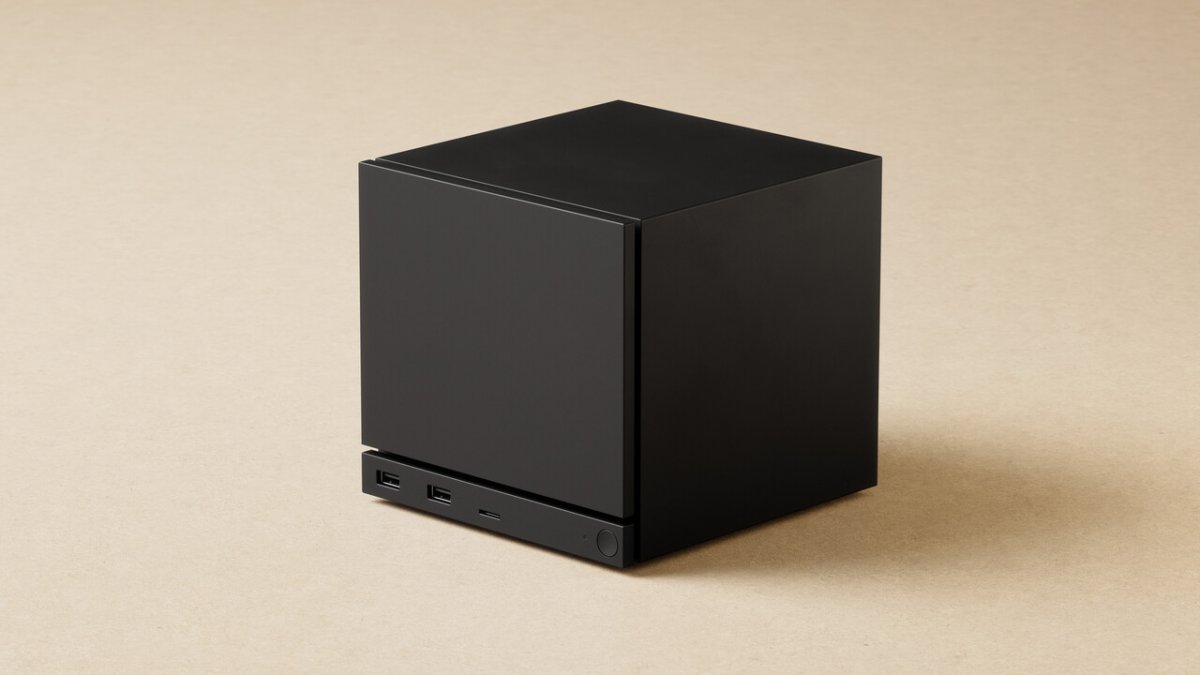
I really hope we’ll see TVs with DisplayPort one day.
I think I’d like DisplayPort over a USB-C connector. It seems like this might be an easier sell too, since the general non-techy populace is already used to everything going to USB-C (thanks EU). Maybe one day we can actually just use the same cable for everything. I realize that not all USB-C cables are equal, but maybe if TVs used USB-C, we’d see more cables supporting power, data, and video.
Mildly spicy take: USB is an unrecoverable disaster and we need an entirely unrelated team to invent something entirely new to replace it because we’re never getting this sleeping bag back in the little bag it shipped in.
USB 1.1 was cool in 1996; it replaced PS/2, RS-232, Centronics parallel, several proprietary connectors, several use cases for SCSI, ADB, Apple’s DIN serial ports, and probably some stuff I’m missing. There was an A plug and a B plug, main problem was both weren’t very obvious which way up you were supposed to plug them. Speed was low but firewire existed for high speed connections.
USB 2.0 was cooler in 2000. The plugs and sockets were identical, the cable was similar but with better shielding, it was as fast or faster than FireWire 400. They did start introducing more plugs, like Mini-B and Micro-B, mainly for portable devices. There were also Mini-A and Micro-A, I’ve never personally seen them. That pretty much finished off external SCSI. Higher speed FireWire was still there if you needed faster than USB but USB 2.0 did basically everything. To indicate USB 2.0 devices and ports, they made the tongues black in contrast with USB 1.1’s white tongues. Didn’t really matter in practice; by the time people had devices that needed the speed, USB 2.0 ports were all machines had.
USB 3.0 took too long to arrive in 2008. The additional speed was sorely needed by then, FireWire was mostly an Apple thing, PCs had but often didn’t use it, so PCs mostly didn’t have anything faster than 480Mbit/s until Obama was sworn in. USB 3.0 is best thought of as a separate tech bolted on top of USB 2.0, they added 5 more wires, a ground wire and two pair of high speed data lines for 5Gbit/s full duplex. The original four wires are also in the cable for power and 480Mbit/s half-duplex. They managed to make the A plug and socket entirely forwards and backwards compatible, the 3B sockets are compatible with 2B plugs (same with micro) but 3B plugs are not compatible with 2B sockets (again, same with micro). Which means we’ve just added two more kinds of cable for people to keep track of! So a typical consumer now likely has a printer with a USB A-B cable, some bluetooth headset or mp3 player they’re still using that has a mini-B plug, an Android smart phone with a micro-B plug, an iPod Touch with a Lightning plug because Apple are special widdle boys and girls with special widdle needs, and now an external hard drive with a 3A to micro-3B plug, which just looking at it is obviously a hack job.
Computer manufacturers didn’t help. It’s still common for PCs to have 2.0 ports on them for low speed peripherals like mice, keyboards, printers, other sundry HIDs, to leave 3.0 ports open for high speed devices. To differentiate these to users, 3.0 ports are supposed to be blue. In my experience, about half of them are black. I own a Dell laptop made in 2014 with 1 2.0 and 2 3.0 ports, all are black. I own two Fractal Design cases, all of their front USB ports are black. Only ports on my Asrock motherboards are blue. I’ve had that laptop for nearly 12 years now, I STILL have to examine the pinout to tell which one is the USB 2.0 port. My Fractal cases aren’t that bad because they have no front 2.0, but I built a PC for my uncle that does have front 2.0 and 3.0 ports, and they’re all black.
USB 3.1 showed up in 2013, alongside the USB-C connector, and the train came entirely off the rails. USB 3.1 offers even higher 10Gbit/s duplex throughput, maybe on the same cable as 3.0. If the port supports it. How do you tell a 3.1 port from a 3.0 port? They’ll silk screen on a logo in -8 point font that’ll scratch off in a month, it is otherwise physically identical. Some motherboard manufacturers break with the standard in a good way and color 3.1 capable ports a slightly teal-ish blue. USB A-B cables can carry a USB 3.1 10Gbit/s signal. But, they also introduced the USB-C connector, which is its own thing.
USB-C was supposed to be the answer to our prayers. It’s almost as small as a Micro-2B connector, it’s reversible like a Lightning port, it can carry a LOT of power for fast charging and even charging laptops, and it’s got not one, but two sets of tx/rx pins, so it can carry high speed USB data in full duplex AND a 4k60hz DisplayPort signal AND good old fashioned 480Mbit/s USB2.0 half-duplex for peripherals. In one wire. That was the dream, anyway.
Android smart phones moved over to USB-C, a lot of laptops went mostly or entirely USB-C, PCs added one or two…and that’s where we are to this day. Keyboards, mice, wireless dongles, HIDs, still all use USB-A plugs, there doesn’t seem to have been any move at all to migrate. Laptops are now permanently in dongle hell as bespoke ports like HDMI are disappearing, yet monitors and especially televisions are slow to adopt DP over USB-C.
Also, about half of the USB-C cables on the market are 4-wire USB 2.0 cables. There are no USB-C data cables, just D+ and D- plus power. They’re phone charging cables; they’re sufficient for plugging a phone into a wall wart or car charger but they often don’t carry laptop amounts of power and they don’t carry high speed data or video.
USB 3.2 turned up in 2017, added the ability to do two simultaneous 3.1 10Gbit/s connections in the same cable, a boon for external SSDs, retroactively renamed 3.0 and 3.1 to 3.2 Gen 1 and 3.2 Gen 2, with 3.2 being 3.2 Gen 2x2, changed to different case logos to match, pissed in the fireplace and started jabbering about Thunderbolt. Thunderbolt was an Intel thing to put PCIe lanes out mini DisplayPort cables, usually for the purposes of connecting external GPUs to laptops but also for general purpose high speed data transfer. Well, around this time they decided to transition to USB-C connectors for Thunderbolt.
Problem: They use a lighting bolt logo to denote a Thunderbolt port. Lightning bolt, or angled squiggle lines, have been used to mean “high speed”, “Power delivery”, “Apple Lightning”, and now “Thunderbolt.”
“Power delivery” sometimes but not always denoted by a yellow or orange tongue means that port delivers power even with the device turned off…or something. And has nothing to do with the fact that USB-C cables now have chips in them to negotiate with power bricks and devices for how much power can be delivered, and nobody marks the cables as such, so you just have to know what your cables can do. They’re nearly impossible to shop for, and if you want to set up a personal system of “my low-speed cables are black, my high speed cables are white, my high power cables are red” fuck you, your Samsung will come with a white 2.0 cable and nobody makes a high power red cable.
USB4 is coming out now, it’s eaten Thunderbolt to gain its power, it’ll be able to do even higher speed links if you get yet another physically indistinguishable cable, and if you hold it upside down it’ll pressure wash your car, but only Gigabyte Aorus motherboards support that feature as of yet.
The “fistful of different cables to keep track of” is only getting worse as we head into the USB4 era and it needs to be kicked in the head and replaced entirely.
Situation: There are 15 competing standards, and they’re all USB.
The renaming while still selling it with older packaging for years has been angering me since it happend.
Honestly it would not be so much of a problem if things where actually labeled appropriately with all the actual specs and support features on the package but its more profitable to keep you guessing (and going for the higher priced one just in case)
They do the same thing with Bluetooth audio transmission usb, their “high quality audio” and “ps5 compatible” but does not tell me wether it supports aptx or not?
Also the whole “buy a product clearly pictured with usb A type connector, receive a usb C type connector variant, if lucky, with an added adapter.
Yeah, “3.0” and “3.2 Gen 1” mean the same thing. Same with “3.1” and “3.2 Gen 2x1”. I’ve bought computer cases in 2025 with the front IO labeled “3.0”.
How are normal people supposed to keep track of this?
Imagine how big the connector shroud would have to be to show all the features in a cable!
Incidentally the last power cable I bought to replace my failing MacBook power cable is labeled for max wattage.
Print it on the cable
Isn’t aptx only supported on quallcomm chips?
I have done research into what product i should buy three times and i am still not sure enough to answer this. That says enough about how confusing the modern tech market is.
They are definitly proprietary and a competitor to LDAC from sony. Finding something that supports both sennheiser and sony headsets without being overpriced is a nightmare.
nope, Pixel supports it for example
Username checks out
I don’t think we would be throwing USB-C away completelly, because it even became mandated by law in EU with the goal of trying to slow down the rate at which people generate trash by getting new cables and power bricks for every new generation of connectors.
But I agree that at the very least there should be a clear labeling mandated by consumer protection laws as well… it’s a nightmare and a scenario that opens the door for a lot of scams… this is even made worse by the fact that nowadays you can even have malicious software running inside of the connector of a cable plugged into an extremely capable port without realizing it, messing up with your device even though the only thing you wanted was to charge it.
As always, there’s a relevant XKCD:
https://xkcd.com/927/
I love how XKCD became the Internet’s version of “Simpson did it”
You end with
But started with
You want more cables?
I remember the original roll-out of USB, things like mice and keyboards very quickly transitioned to USB and came with one of those USB/PS2 dongles for awhile for compatibility with older computers, and then we were into the USB era.
That hasn’t happened with USB-C, large market segments don’t seem interested in making it happen, it’s not getting better, in fact it seems to be getting worse. So kick it in the head and start over from scratch.
Yeah I am very annoyed there aren’t many (or any?) very compact adapters.
I have a couple. My phone came with an A female to C male adapter (will turn an A cable into a C cable) that’s about as compact as you can make it, but it is only wired for 2.0. I also have a 4 inch dongle cable that does the exact same thing that is I think 3.0. I just bought some C-A adapters (turns a C cable into an A cable) which look like an A plug with the cable cut off. These aren’t compliant with the USB-C spec and can be misused for bad ideas, like an A-A cable, but it does allow you to carry one USB C-C cable and one adapter and cover a lot of bases.
Yes, I absolutely want different cables with different connectors.
Being able to physically plug two USB-C devices together is not a benefit if the devices can’t actually talk to each other properly on the cable. I’d much rather have three different connectors, each of them guaranteeing protocol compatibility, than USB-C for which any given device-cable-device combination, the behavior is nearly impossible to predict.
You know what the problem with USB-C is? In 2010 or so, you could have a fistful of unique USB cables, A-B, A-MiniB, A-MicroB, 3A-3B, 3A-Micro3B, A-Lightning, they’re all different, but you can look at the cable and tell exactly what it does. Most of them are identical in capabilities but have physically different plugs, and the two USB 3 cables are also identical in capabilities but with different client side plugs. ALL of them will plug in and work in the same host-side port.
With USB-C, I can have a fistful of visually similar cables, with drastically different capabilities, and I have no way of telling them apart. The USB consortium has been inconsistent with their branding, it has been applied even more inconsistently or even fraudulently by manufacturers, and there’s no way to inspect the cable’s features without trying it to see if it works.
The problem is that getting a new standard is gonna just mean more of the same shit with like a good ten years of swapping because USB is so widely used. USB ain’t perfect, I dislike a lot of things about it, but starting from scratch isn’t gonna improve things.
If it was the sort of magical scenario where everyone swapped overnight, hell yeah.
There is a very good PCs still have USB2 ports. They are reliable. The always work. Before an OS loads, getting usb3 ports working is iffy. Manufacturers rarely fix their implementation in firmware so you’d want to boot that Linux distro on that Dell or HP laptop and start with usb2.
Usb3 also causes interference with wireless transmitters
Oh god I hate this so much. The proliferation of USB 3.0 devices in the office has made 2.4 GHz keyboard and mice nearly unusable. I’d much rather they change the frequency to fix this than whatever thunderbolt stuff they’re dealing with right now
That interference doesn’t span an entire office. Simply place the transmitter in a USB2 port or get a short usb2 extension cord and put the transmitter in that, giving it some distance from the usb3 port.
This does get me thinking there is an attack you can pull on machines with USB3 ports where the signals emitted by the ports could be picked up further away and be used to break an airgap.
This is even worse than I already knew, holy shit.
4-wire USB 2.0 in a USB-C cable should be fucking illegal. Utterly counterintuitive if one stops short of reading specs and merely “keeps up” by having to use this nonsense all day every day. Learning about that alone put to bed some head-scratching confusion I’ve run into with my own stuff over the years.
The cabling problems in particular…just woof!
Well, let me show you something.
You vs the guy she told you not to worry about.
Guess which one of those is a 4-conductor USB 2 cable rated for 15 watts that came in the box with my smart phone, and which is a 3.1 cable that can carry 10Gbps USB data AND a 4k60Hz DP signal AND a USB 2.0 link for peripherals AND 100 watts of power simultaneously. Guess at their relative prices.
And this isn’t even the ultimate cable. The cable I described is 12 year old technology, they dropped the 3.1 spec in 2013! Newer cables can do 20Gbps using both lanes, carry more power, do external PCIe, all kinds of crap.
But normies who charge thay phone, eat hot chip and lie don’t want this cable. They don’t want to pay $15 for 7mm thick cable that’ll pull their Qi charger off their night stand with its weight every time they pick their phone up. They want a thin, flexible strand of spaghetti that will carry 15 watts from the wall wart behind their headboard to the charger on the night stand, successfully negotiating at least two sharp 90 degree turns.
USB-C was supposed to be the universal port. The answer to every question. Recharge your wireless earbuds, recharge your laptop, attach HIDs, very fast storage, high speed network adapters, displays, low latency teledildonics, VR headsets…it was the chosen one, it was supposed to destroy the Sith, not join them. Turns out, the port might be capable of that, but the cable is a different story. There’s 24 pins in the plug, two of which will never be connected (the four middle pins are for USB 2, and there are only 2 wires for that. The cable itself along with the chips in the connectors need to be designed for what you’re doing. And we can’t really steer around that because they’re going to keep adding tech to this connector for awhile yet.
So we’re gonna end up with cables that can do this, but not that. Some applications only require USB 2.0, but the device has a USB-C port. I’m okay with that cable existing, but the industry as a whole has done a piss poor job of selling and marking cables with their capabilities.
I bought the cable above from Cable Matters. They make good cables. They marked each end of this cable with the SS USB 10 mark on one side, and their logo on the other. It doesn’t indicate it’s video or power capacity in any way. You’re supposed to make note of that when you buy the cable, keep track of which cable that is in your collection, and remember what it can do. I’m a neckbeard with no life, and even I’m not gonna get that done.
It also took even longer than that to get 480mbits.
Firewire could to ~45MB/s back in G3 iMac days, USB2 was stuck on ~25MB/s with BOT for years until after USB3 and we finally got UASP.
Your argument is basically being mad that cables aren’t labeled properly?
That, and they’ve done the best job at sabotaging the public’s ability to understand the spec in the first place.
Display port over USB-C is totally a thing. With things like USB-PD USB seem to be getting dangerously close to becoming the standard for everything. The cables are a wreck though and are way too hard for a layperson to tell apart.
I’m a very technical person and I can’t tell them apart.
Is there a symbol?
It’s pretty simple and straightforward, all you have to so is buy the cable and a professional cable tester to see what specs it’s actually in compliance with
Don’t worry, I’m sure when USB 4 releases, they’ll retroactively change the names of USB 3.2 Gen 1 and USB 3.2 Gen 2 to “USB 4.3 Gen 0.01” and “USB 4.3 Gen 0.02” respectively. Then USB 4 will actually be named “USB 4.4 Gen 5” just because.
And none of the cables will be labeled, nor will they simultaneously support high power delivery and full data speed. We’ll need to wait for “USB 4.4 Gen 4” for that, which is when the old standard will get renamed to “USB 4.4 Gen 3.5” instead.
“USB4” (not USB 4.0) released in 2019 and “USB4 Version 2.0” (not USB 4.1) released in 2022.
These days a ~10€ gadget can tell you about the electricity going through a USB connection and what the cable is capable of. I don’t like the idea of basically requiring this to get that knowledge, but considering the limited space on the USB-C plugs I’m not sure anything is likely to improve about their labeling.
That’s good enough for me, what they called and wee where can I get one?
An example I randomly picked:
https://www.amazon.de/Messgerät-Strommessgerät-Multimeter-Strommesser-Leistungskapazität/dp/B0DK5GGVLM
I have something like this myself, it’s useful for knowing the power delivery of the cable/port combination, but I’m not sure if that really helps when it comes to determining the speed of the data transmission that the cable/port is capable of, or other features like displayport support, or which version of USB4 it might be supporting (I believe they have the same power delivery, even though the transfer speed is double).
Nope! That’s part of the fun sadly. At least if you’re technical you’ll know that not all type-c cables are the same.
I mentioned this in another thread but “DP Alt” (DP over USB-C) is not a default feature of the USB spec and is an optional extension that needs to be added via additional hardware and supported by the device. At that point you’re basically adding in DP with just a different port.
To that end, it’s still the same thing that TV manufacturers just aren’t adding in DP support regardless of connector.
Isn’t usb-c able to carry Thunderbolt, which subsumed DisplayPort at some point? I thought Thunderbolt and DisplayPort were thus merged into whatever the usb standard was at the time.
Thunderbolt is a proprietary specification by Intel and Apple, while Displayport is an open standard developed by VESA.
USB connector hardware can meet the Thunderbolt or Displayport specifications, but must conform. Most do not.
My monitor (tv) supports usb c and I like it! The flexibility was nice during my single battle station move
There are a few. Samsung, hi sense and lg have them on some
Digital signage
Unaffordable to a consumer.
Bullshit they’re all over ebay for reasonable prices
Why even buy 'em, tho? They’re basically shitty monitors with spyware for brains.
Well if you want anything over 35 inches a TV is your only option. They don’t really make monitors bigger than that.
Because we don’t all live in dorm rooms sitting at desks watching TV. Some of us need something besides a 32-in.
I have enough back problems to remember a time when a 32 inch television WAS a big-screen. My family had a 35 inch Sony Trinitron that weighted as much as a motorcycle. You do not NEED a 50+ inch screen.
I’m 43. I remember those days as well. It was shit.
I’m 38, and I remember the last gasps of CRTs in the early 2000s more fondly than the colicky 10-year toddlerhood of digital flat panels that followed.
I’m 40 and my only TV is a 13" CRT that I’m rocking for movies and games
I mean, you also had pretty low quality TV and home media, anything beyond 32 inches wasn’t doing much good for you.
Projectors have improved dramatically over the years. Any white wall can easily become a 100+inch display that’s good enough for movies.
well its not the only option, its the only consumer ended option.
the corporate option is large format display/digital signage screens
If you actually give a fuck about image quality beyond size and brightness, digital signage also isn’t really an option. You won’t find many commercial oled displays, for example.
Best option for home entertainment, imo, is still a consumer TV, that you just never connect to the internet and use a set top box with, instead.
Assuming they don’t start using meshnet to spy on you anyways.
Up The (soldering) Irons!
Don’t give them any ideas
That’s actually already a thing potentially, TV and even appliance makers have been fielding using meshnet tech to spy on users regardless of if they’re connected to the web or not for a while now.
Too late, TVs have apparently been known to connect to open WiFi networks if they find any.
Fuck smart TVs, I have a 13" CRT that I’m happy with and doesn’t need a damn internet connection
of course, I’m not suggesting anyone should use them. im just saying they exist. the companies that make the good screens are all part of the HDMI forum, which defeats the reason why display port wont be offered at these screen sizes effectively.
basically no comoany is going to deny using HDMI unlrss a new upcoming screen company either develops propietary displayport tech, or the VESA foundation spins up monitor production.
unironically the only company i can remotely see doing said action is apple.
It’s a ‘why not both’ thing.
We need a good jailbreak for smart TVs and a TV-oriented Linux distro with Plasma Bigscreen to install on the jailbroken smart TVs
My experience is that digital signage displays are still HDMI-only.
many are hdmi only, but there are several that have display port as well. I see a lot since I work in lease return/e-waste recycling.
Are there a lot of 65" PC monitors?
Alienware once sold a 55" 120Hz OLED monitor.
Edit: It originally cost $4000
about the same specs as my TV, but 10" less and 4x its price
It looks to be $1200 on Amazon. Decent for OLED.
I got my 42 inch lgc2 for $990 a few years ago.
Technically those menu boards at restaurants.
Not that many it seems… Ignoring extremely pricey ones, I could find the Lenovo ThinkVision E65 LFD for what converts to 1200 USD in a local shop. And even that is not really price competitive.
Just don’t connect it to the internet.
They are exist but it Chinese dark horses manufacturera liki kiwi